
1 October 2026 · info.fixtechsolution@gmail.com
How to Check PTCL Bill Online and Pay It in Minutes
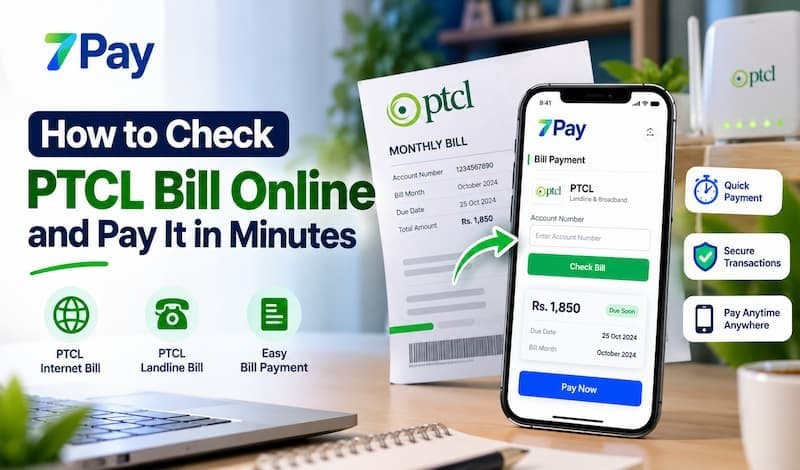
Standing in a queue just to learn what you owe on your landline or internet is a habit most of us are ready to drop. Today you can look up your PTCL bill online from your phone and settle it before the due date passes. This guide walks you through each step, from finding your details to paying through 7Pay, so a missed payment never catches you off guard. You can start right away at https://www.7pay.com.pk/.
7Pay is designed to make everyday payments simple by bringing bill payments, money transfers, mobile recharge, and other digital payment services together in one convenient platform. For customers who want a convenient way to manage their monthly PTCL landline or broadband bill, the process should be quick, clear, and easy to understand. This guide explains how to check your bill, what information you may need, how online payment works, and how 7Pay can make the experience more convenient
What Is PTCL Bill Online and Why Use It?
Every PTCL customer receives a statement each billing cycle. For years that meant waiting for a paper copy in the mail or calling support to ask about charges. A PTCL bill check online now takes less than a minute. It shows your PTCL monthly bill, your PTCL outstanding amount, and your PTCL due date on a single screen.
This works for a PTCL landline bill and for a PTCL broadband bill. Whether the connection is for your home, your shop, or your office, the process is the same. Your PTCL internet bill appears alongside your voice charges, so nothing is hidden or forgotten.
Here is why more households and small businesses now prefer the digital route:
- You see your charges before the due date, not after it.
- You skip travel, queues, and printing.
- You keep a clear payment record you can revisit at any time.
- You can run a quick PTCL bill inquiry whenever a charge looks unusual.
- You stay in control of your budget because the total is visible in advance.
Details You Need Before You Start
Description: Have these identifiers ready so your search returns the right record on the first try.
Your PTCL billing information is linked to a few key details. You can find them on an older statement, in a message from PTCL, or in the paperwork you received when the connection was installed.
- PTCL account number: a unique number tied to your connection.
- PTCL customer ID: identifies you as the account holder.
- PTCL bill reference number: printed on each statement and used to match your payment to the right bill.
- Phone number: your landline number with the area code, or the number linked to your broadband service.
Save these details in a secure note on your phone. Once they are stored, every future check takes seconds. Most errors happen when people leave out the area code or confuse the customer ID with the account number, so take a moment to confirm what you typed before you submit.
PTCL Bill Check by Number
Description: You can search with either your phone number or your account number. Choose whichever is easier to find.
Whichever route you pick, a PTCL bill check by number is quick and needs no paperwork. The result shows your billing month, your current dues, and the last date for payment.
PTCL Bill Check by Phone Number
For a PTCL bill check by phone number, enter the full number including the area code. Landline users often find this the fastest option because the number is already memorized. Double check every digit, since one wrong number can pull up a different customer’s record.
PTCL Bill Check by Account Number
If you prefer a PTCL bill check by account number, type the number exactly as it appears on your statement. This is the better choice for broadband users whose service is not linked to a voice line. It is also useful if you manage bills for relatives or a small office.
On 7Pay, you can check PTCL bill online with 7Pay by opening the bill payment section, choosing PTCL, and entering your details. The same screen lets you move straight to payment, so you do not have to switch between tabs or apps.
How to Pay PTCL Bill Online with 7Pay
Description: Paying through 7Pay takes only a few steps and ends with an instant confirmation. No cash and no counter visit are needed.
7Pay is built for people who want simple and dependable bill handling. With 7Pay bill payment, you can pay PTCL bill with 7Pay from wherever you are. Here is the full process:
- Open 7Pay through https://www.7pay.com.pk/ or the 7Pay app and log in to your account.
- Go to the bills section and select PTCL as your biller.
- Enter your phone number, account number, or customer ID.
- Review the billing month, the PTCL outstanding amount, and the due date.
- Choose your funding source, such as your 7Pay digital wallet.
- Confirm the payment and save the digital receipt.
That is all it takes for PTCL bill payment through 7Pay. Broadband customers can follow the same steps to pay PTCL broadband bill with 7Pay, and the confirmation arrives right away.
Because 7Pay works as a PTCL bill payment app Pakistan users can open at any hour, you are never limited by office timings. It also supports mobile wallet bill payment, so a payment made at midnight goes through as smoothly as one made at noon. With instant bill payment and secure online payments, you gain speed without giving up safety.
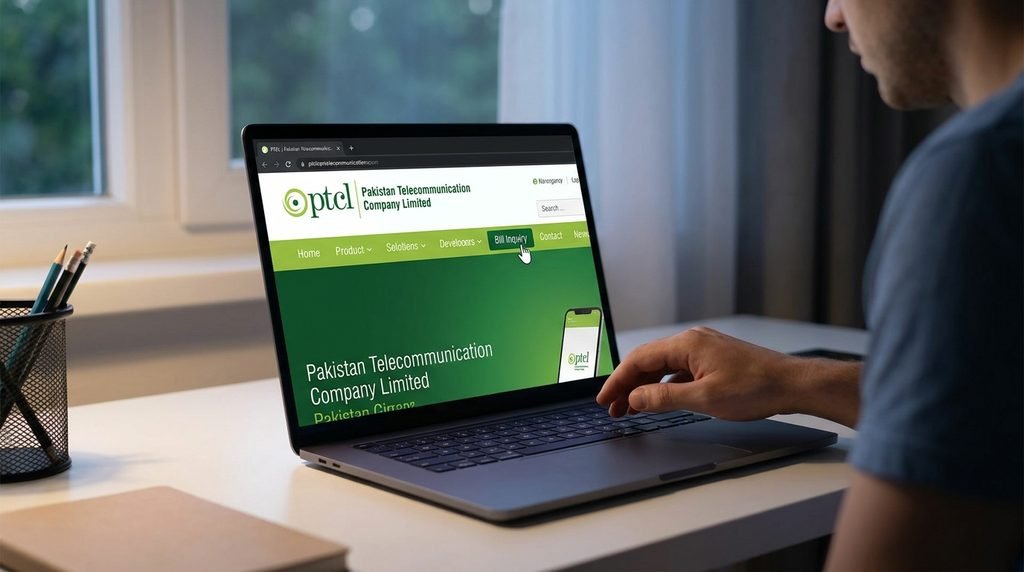
This is what PTCL bill online payment using 7Pay looks like in practice: a short flow, a clear total, and a confirmation you can trust. Online bill payment with 7Pay also keeps every receipt in your history, which helps whenever you need proof of payment later.
PTCL Duplicate Bill and PTCL Bill Download
A PTCL duplicate bill is a fresh copy of your current statement. People usually need one for office reimbursement, household accounts, or as proof of address. Instead of waiting for a printed copy, request one through PTCL’s official channels, or use the details from your bill result to keep a record.
For PTCL bill download, look for a download or print option after your bill details load, then save the file as a PDF. Create one folder per year so that tax season or an audit never turns into a scramble. If a statement fails to load, wait a few minutes and try again, because heavy traffic near the due date can slow things down.
After you pay, save your 7Pay receipt next to the downloaded statement. Together they give you a complete and tidy record for each month.
PTCL Bill Online Payment in Pakistan: Methods Compared
There are several PTCL bill payment methods, and each suits a different kind of customer. The table below puts the main options side by side.
| Payment Method | Speed | Convenience | Digital Receipt | Available Anytime |
| Visiting a payment counter | Slow, queues likely | Low | Paper slip | No |
| Paying cash through an agent | Moderate | Medium | Sometimes | Limited |
| Official PTCL web portal | Moderate | Medium | Yes | Yes |
| 7Pay digital wallet | Fast, instant bill payment | High | Yes, saved in history | Yes |
The pattern is easy to see. When speed, convenience, and record keeping all matter, PTCL online bill payment through a digital wallet comes out ahead. It also helps you pay bills online in Pakistan without depending on opening hours. If you want PTCL bill payment online that is fast and traceable, 7Pay gives you all of that in one place.
Why 7Pay Is a Smart Choice for Utility Bill Payment
Online bill payment Pakistan customers want should feel simple, safe, and fast. That is the idea behind 7Pay. The platform handles utility bill payment alongside money transfers, mobile recharge, and other daily needs, all from one account.
As a digital wallet Pakistan users can rely on, the 7Pay digital wallet reduces your need for cash and keeps your payment history organized. You do not have to remember which app handled which bill, because everything sits in one clean record.
Key benefits at a glance:
- One account for digital bill payment, money transfers, and mobile recharge.
- A clear total shown before you confirm anything.
- Secure online payments built around protecting your account.
- Receipts stored for easy reference.
- Easy access at https://www.7pay.com.pk/ from your phone or computer.
Families can manage utilities without leaving the house. Small businesses can keep their records tidy. Over time, 7Pay bill payment becomes part of a routine instead of a monthly chore.
SECTION 11
Tips to Avoid Late Charges
Description: A few small habits keep your PTCL account in good standing every month.
- Check your dues a few days before the due date arrives.
- Set a calendar reminder to pay PTCL bill online as soon as your new statement appears.
- Store your PTCL account number and customer ID in a safe place.
- Compare the amount with your PTCL monthly bill before you pay.
- Keep your receipts until your next statement confirms the payment.
A quick PTCL bill inquiry after payment is a good habit too. It confirms the balance has cleared and gives you peace of mind.
Frequently Asked Questions
Description: Quick answers to the questions customers ask most about PTCL billing and payment.
1. How can I check PTCL bill online?
Enter your phone number or account number on a bill check page, or open 7Pay, choose PTCL, and add your details. Your amount, billing month, and due date appear within seconds.
2. How do I do a PTCL bill check by phone number?
Type your full phone number with the area code into the bill check field. Make sure the number matches the one registered on your PTCL connection.
3. Can I do a PTCL bill check by account number?
Yes. Enter the account number exactly as printed on your statement. This works well for broadband customers.
4. Can I pay my PTCL broadband bill with 7Pay?
Yes. Select PTCL as the biller, enter your details, confirm the amount, and pay from your 7Pay digital wallet.
5. How do I get a PTCL duplicate bill?
Request one through PTCL’s official channels, or use the details on your bill result to keep a record. Keep the copy with your payment receipt.
6. Is PTCL bill download possible?
Yes, in most cases you can save or print your statement as a PDF once your bill details load. Store it in a dated folder.
7. Is paying through a mobile wallet safe?
Mobile wallets are designed for secure online payments, with login protection and confirmation steps. Always keep your login details private and log out on shared devices.
8. How long does it take for my payment to show?
With instant bill payment, your confirmation appears right away. Your PTCL account may take a little longer to update, so keep the receipt until your next statement.
9. What should I do if the amount looks wrong?
Compare it with your last statement and check for added services or late charges. If the difference is unclear, contact PTCL support with your PTCL bill reference number.
CONCLUSION
Managing your PTCL bill online no longer needs queues, paper statements, or guesswork. Gather your account number, customer ID, or phone number, check your dues, and pay before the due date. With 7Pay, the whole process is quick, secure, and easy to repeat every month.
CALL TO ACTION
Ready to skip the queue? Visit https://www.7pay.com.pk/ today, open your 7Pay account, and pay your PTCL bill online in minutes. Check your dues, pay securely, and keep every receipt in one place.